The payment page built for creators other link tools turn away

Let clients choose from the payment apps, account details, and invoices you already use — all from one shareable page. SettleQuik does not process payments; funds go directly to you.

No card required. Free includes 3 payment methods, every template, and your own photo. Pro unlocks all 20, invoicing, and click analytics.

  • 20 payment methods (including restricted-industry options)
  • Built-in professional invoicing
  • Deep links that open the apps your clients already use
  • 0% SettleQuik transaction fees
  • You keep full control of your payment accounts

Venmo, PayPal, Cash App and the rest still charge their normal fees — SettleQuik doesn't take a cut.

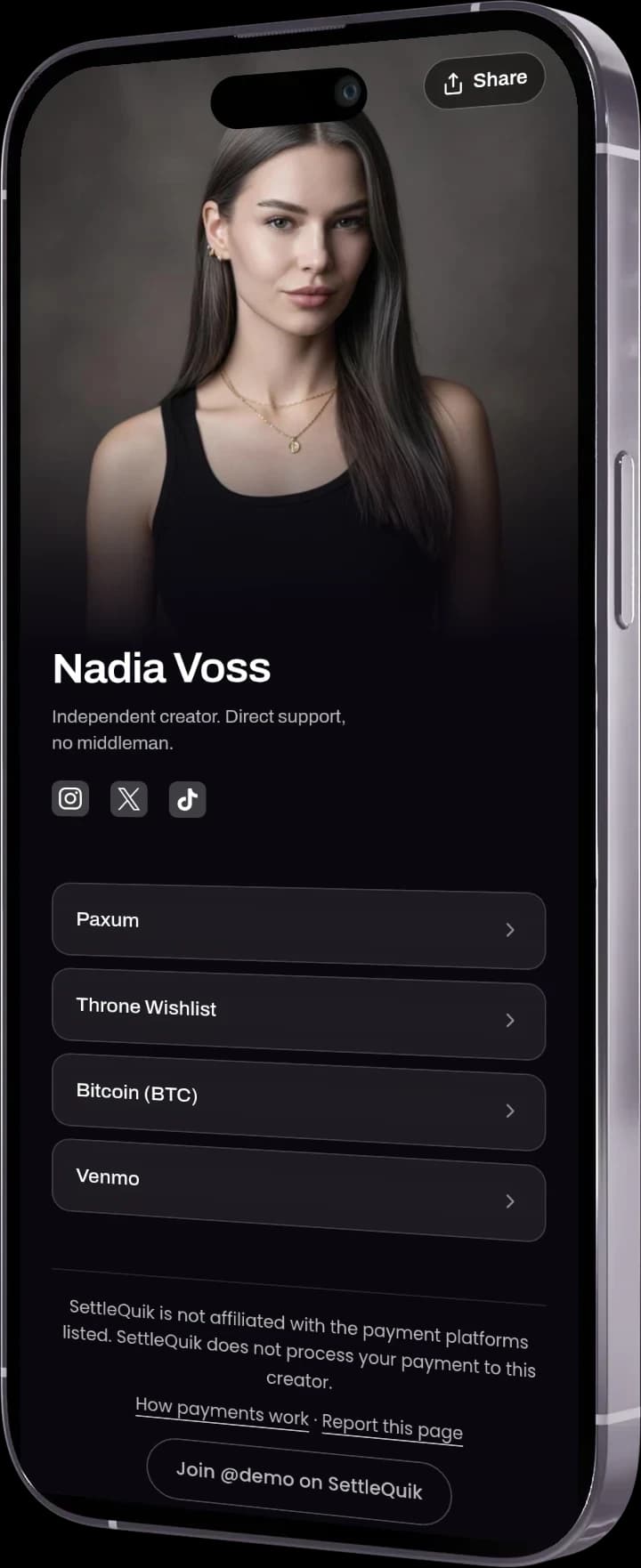
A SettleQuik payment page on a phone: Nadia Voss, an independent creator, listing Paxum, Throne Wishlist, Bitcoin, and Venmo as ways to pay

Your page lives at

settlequik.com/you

One link for every way you take payment. Share it anywhere you already share a link.

Built for restricted industries, with two rules

Your SettleQuik page stays SFW — no nudity or explicit content on the page itself. You can link out to any age-gated platform you like, including OnlyFans and Fansly. That is the whole point.

Read the full eligibility rules
Safe HarborCertified directory
DMCA-1070114SettleQuik never holds or processes your funds

You keep your payment accounts.

Add the apps, wallets, bank details, and invoice options you already use. Your client picks an option; the payment happens directly on that third-party platform.

SettleQuik never holds or processes your funds.

Built for adult, cannabis, gambling and other industries ordinary link tools refuse. Your SettleQuik page stays SFW; it can link out to any age-gated platform you choose. See eligibility rules

Creators

I need one reliable way to share how clients can pay

Build a mobile-ready payment page around the payment methods you already use.

Create My Free Payment Page

Agencies

I manage payment pages for multiple creators

Create, monitor, and update a roster from one command center.

See how agencies use SettleQuik

Get paid in 3 steps

No new processor needed — just one smart payment page that works with the methods your clients already use.

1
Create your link

Connect Venmo, PayPal, Cash App, Zelle or bank details.

2
Share it

Drop it on WhatsApp, Instagram, invoices, or your bio.

3
Get paid

People pick what they trust. Money goes straight to you.

Payment Method Selector

Go Global.
Get Paid Anywhere.

Don't let borders limit your revenue. SettleQuik lets you display and link to the global payment methods you already use.

Features:

  • Display details for USD, EUR, or GBP accounts.
  • Native fields for Crypto Wallets and International Wires.
  • No location restrictions for your bio link.
SettleQuik smart invoicing interface with a branded invoice preview

Smart Invoicing

Send beautiful, customized invoices with your logo and branding. Get paid faster with automated invoice delivery and tracking.

See invoicing on Pro

Invoicing is included on Pro, Business and Agency. Free covers your payment page and payment methods.

Stop the Leak: Get Paid Through Every App
Your Clients Already Use

Most link tools are restricted by bank-level rules that often exclude adult, cannabis, gambling, and other industries.SettleQuik is different. We are Builders, Not Bankers — we never process your money and support the payment methods other platforms frequently refuse.

The Global 8

The Global 8

Copy-to-clipboard for Paxum, Cosmo, Skrill, Pix, and Crypto.

One-Tap App Links

One-Tap App Links

One-tap deep links for Revolut, Wise, and Throne Wishlists.

US Domestic

US Domestic

Display CashApp, Venmo, and Zelle details on a page you control.

Trademark-Safe Glyphs

Trademark-Safe Glyphs

Custom glyphs support trademark compliance, backed by our DMCA registration.

Every payment method your page can't show is one your client can't choose. SettleQuik lets you list the ones they already use.

Why SettleQuik?

Why creators and agencies use SettleQuik instead of stitching together link tools and payment instructions

SettleQuik
Other platforms
Payment methods supported
20 methods, including restricted-industry options
Varies; restricted-industry methods often unsupported
Smart app deep-linking
Opens payment apps directly
Typically browser-only
Professional invoicing
Send & track invoices
Not typically included
Multi-profile management
Single dashboard for your roster
Usually one profile per login
Who holds your money
You do — funds never touch SettleQuik
Varies by platform
Transaction fees
0% from SettleQuik — the payment app's own fees still apply
Varies by platform

Creator payment link pricing with zero transaction fees

No new processor - just a smart link that works everywhere.

Venmo, PayPal, Cash App and the rest still charge their normal fees — SettleQuik doesn't take a cut.

Monthly
YearlySave 17% - 2 months free

Free

For creators just getting started

$0

Key features:

  • One public payment page
  • Up to 3 payment methods
  • Every page template
  • Your own profile photo
  • Payment notifications with optional proof upload

Perfect for testing — upgrade anytime for unlimited methods + invoicing.

MOST POPULAR

Pro

For creators ready to get paid professionally

$10/mo

Billed monthly

Key features:

  • Professional invoicing
  • Unlimited payment methods
  • Colourways on Soft, Neon, Sunset and Duotone
  • Analytics on clicks
  • Custom logo & invoice styling
  • Custom Profile Greeting

Business

For creators with multiple brands or income streams

$20/mo

Billed monthly

Key features:

  • Everything in Pro
  • Up to 3 separate pages for multiple revenue streams (e.g., Fitness + Coaching + Adult)
  • Cross-page analytics + CSV
  • Priority support (12-hour SLA)

Agency

For agencies managing a creator roster — one command center, so you keep control and your creators stop chasing payment details

$99/mo

Billed monthly

Key features:

  • Everything in Pro and Business for your own account
  • Manage up to 10 creators with enterprise-grade infrastructure
  • Scale unlimited - add creators at $10/month each
  • A public payment page for every creator on your roster
  • Agency Command Center with roster-wide insights
  • Top performer leaderboard and traffic reporting
  • Payment friction mapping across your roster
  • Weekly link health checks with alerts
  • Linktree migration tool for frictionless onboarding

Your own account carries every Pro and Business feature, including up to 3 pages. Each creator on your roster gets a public payment page you manage from the Command Center.

Questions, answered

Everything you need to know about how SettleQuik works.

Create a payment page yourclients can actually use

Organize the payment methods and invoices you already have into one shareable page. Clients choose what they trust. Funds go directly to you. SettleQuik never holds your money.